uniTerm

uniTerm

一款现代化跨平台终端模拟器,内置可自主执行的 AI Agent
像 Claude Code 一样独立规划并执行多轮 Shell 命令。
A modern cross-platform terminal emulator with a built-in autonomous AI Agent
Capable of independently planning and executing multi-turn shell commands, like Claude Code for your terminal.

下载安装 Download GitHub

功能特性Features

AI 助理 AI Assistant

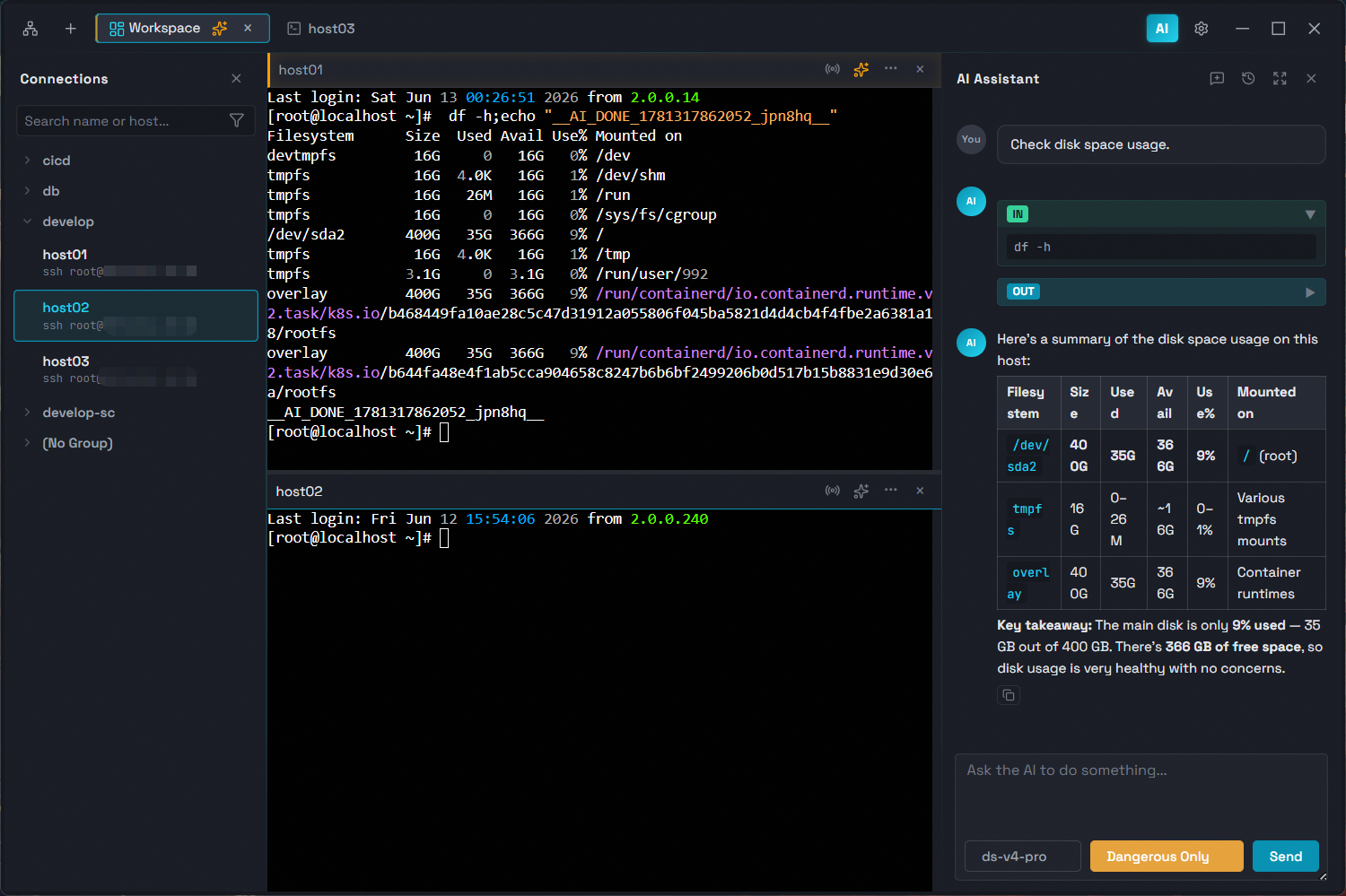
自主执行的 AI Agent,像 Claude Code 一样独立规划并执行多轮 Shell 命令,直接在终端中完成复杂任务。 Autonomous AI Agent that works like Claude Code — independently plans and executes multi-turn shell commands directly in your terminal.

自主多轮执行Autonomous Multi-Turn

AI Agent 自主规划、执行、观察并迭代,无需人工干预即可完成复杂任务Plans, executes, observes, and iterates across multi-turn commands without manual intervention

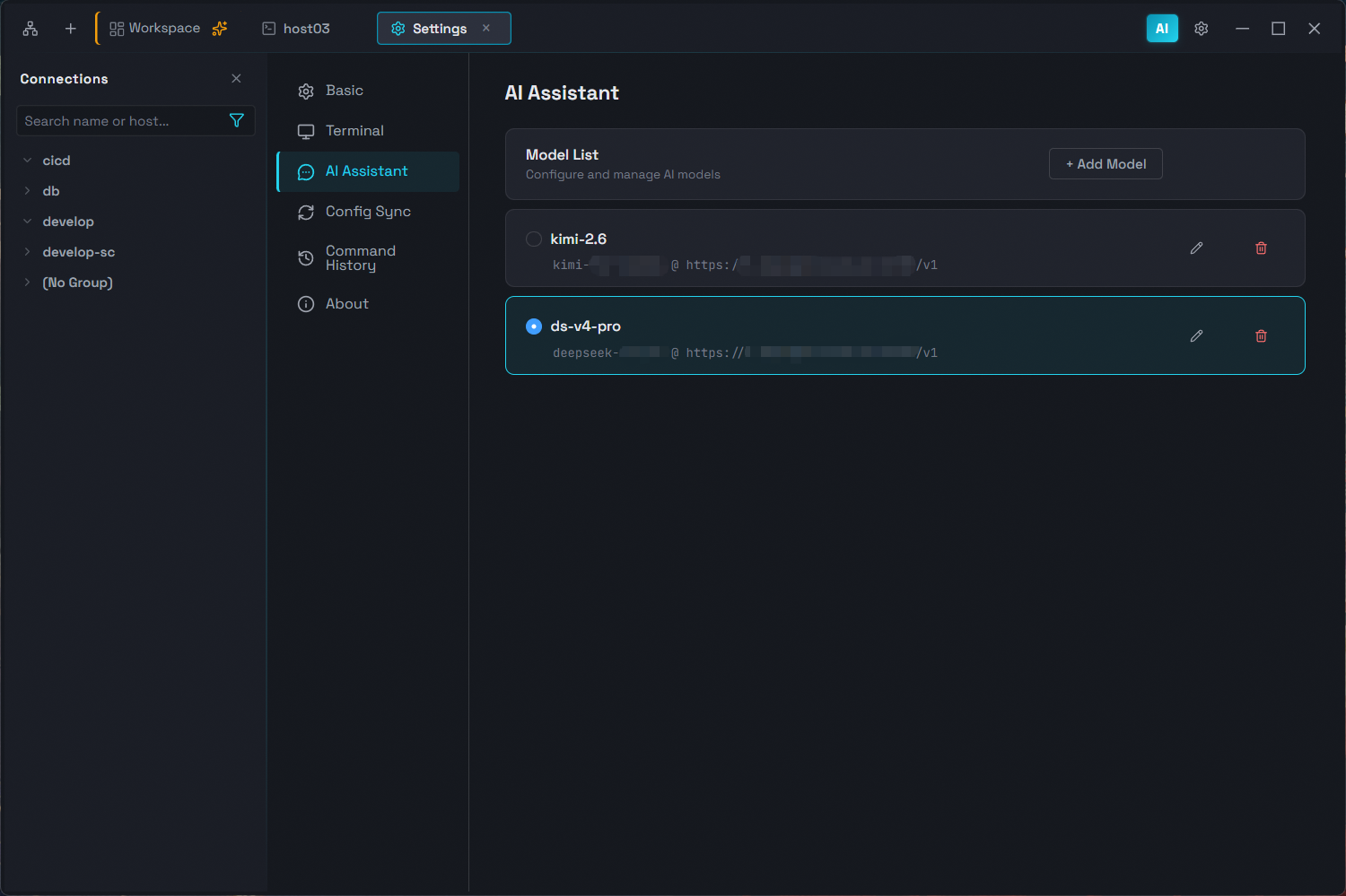
大模型集成LLM Integration

侧边栏对话,兼容 Anthropic 协议,支持 Claude 及其他兼容模型Sidebar chat with Anthropic-compatible API, supporting Claude and other compliant models

灵活执行模式Flexible Execution Modes

免确认、仅高危确认、写操作确认、全部确认四种模式,自主权由你掌控Bypass, confirm dangerous only, confirm write, or confirm all — you control how much oversight the AI gets

对话持久化Persistent Conversations

聊天记录按会话保存,重新打开应用后历史对话仍然保留Chat history saved per session — conversations survive app restarts

终端智能协作Terminal Integration

AI 命令直接在当前终端标签页中执行,支持固定到指定标签页或跟随当前激活终端。分屏中人与 AI 各司其职,同屏协作互不干扰AI commands execute directly in the active terminal tab, with optional pinning to a specific tab or following your active one. Collaborate side-by-side in split panes, each with its own terminal context

智能补全Smart Completion

SSH 终端输入时,根据历史命令和 AI 能力实时提供命令补全建议While typing in SSH terminals, get real-time suggestions from your command history and AI-powered command rewrites

全功能终端 Full-Featured Terminal

本地终端、SSH / Telnet / Mosh、文件传输(SFTP / FTP)、RDP / VNC / SPICE、数据库、SSH 隧道、服务器监控 —— 覆盖所有远程访问场景。 Local terminal, SSH / Telnet / Mosh, file transfer (SFTP / FTP), RDP / VNC / SPICE, database, SSH tunnel, server monitor — covering all remote access needs.

SSH / Telnet / Mosh / 本地终端SSH / Telnet / Mosh / Local Terminal

密码/私钥认证、Telnet、Mosh 低延迟,多标签页。同时支持本地 PowerShell、CMD、Git BashPassword & key auth, Telnet, Mosh low-latency, multi-tab. Also supports local PowerShell, CMD, Git Bash

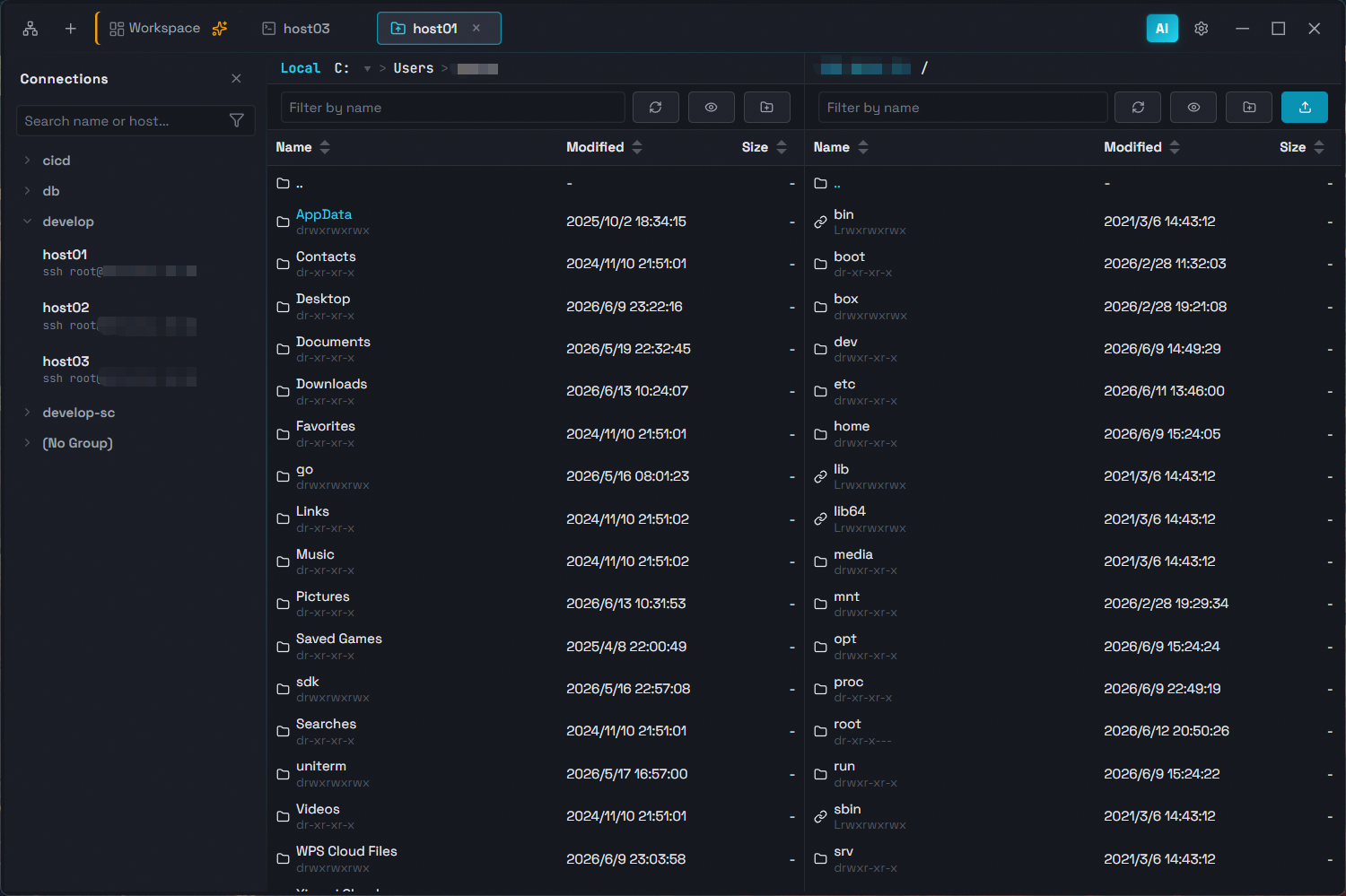
文件传输(SFTP / FTP)File Transfer (SFTP / FTP)

双栏浏览、上传下载拖拽,SFTP + FTP/FTPS,传输按标签页跟踪Dual-pane browse, upload, download, drag-and-drop. SFTP + FTP/FTPS, per-tab transfer tracking

RDP / VNC / SPICERDP / VNC / SPICE

支持 Windows 远程桌面、VNC 和 SPICE 连接Support Windows Remote Desktop, VNC, and SPICE connections

数据库客户端Database Client

连接 MySQL、PostgreSQL、rqlite,SQL 查询执行与数据行编辑Connect MySQL, PostgreSQL, rqlite — SQL queries & inline data editing

SSH 隧道SSH Tunnel

端口转发跳板连接,任何连接可经由 SSH 跳板访问目标Port forwarding jump host — any connection can route through an SSH tunnel

服务器监控Server Monitor

性能指标、进程、端口、磁盘、网卡 —— 实时掌握服务器状态Performance, processes, ports, disks, network — real-time server insights

自定义能力 Customization

连接管理、工作区分屏、云端同步、主题定制 —— 你的终端由你掌控。 Connection management, workspace splits, cloud sync, themes — your terminal, your way.

连接管理器Connection Manager

分组、搜索、批量操作,拖拽排序,多选/范围选择连接Grouping, search, batch ops, drag-and-drop, multi-select & range-select

工作区与自由分屏Workspace & Split Panes

标签合并为工作区,水平/垂直分屏,拖拽自由调整布局Merge tabs into workspaces, horizontal/vertical splits, drag to rearrange

云端配置同步Cloud Sync

基于 GitHub/GitLab/Gitee 私有仓库构建专属云同步,AES-256 加密存储Private sync via GitHub/GitLab/Gitee repos, AES-256 encrypted storage

主题Themes

暗色、深蓝、浅色三种主题,支持跟随系统自动切换Dark, Deep Blue, Light themes with system auto-detect

国际化Internationalization

简中、繁中、英、日、韩、德、西、法、俄 9 种语言界面9-language UI: zh-CN, zh-TW, en, ja, ko, de, es, fr, ru

跨平台Cross-Platform

基于 Wails v2 构建,原生运行于 Windows、macOS、LinuxBuilt on Wails v2, runs natively on Windows, macOS, and Linux

界面截图Screenshots

下载安装Download

Windows

.exe
下载Download

macOS

.dmg
下载Download

Linux

.tar.gz
下载Download